
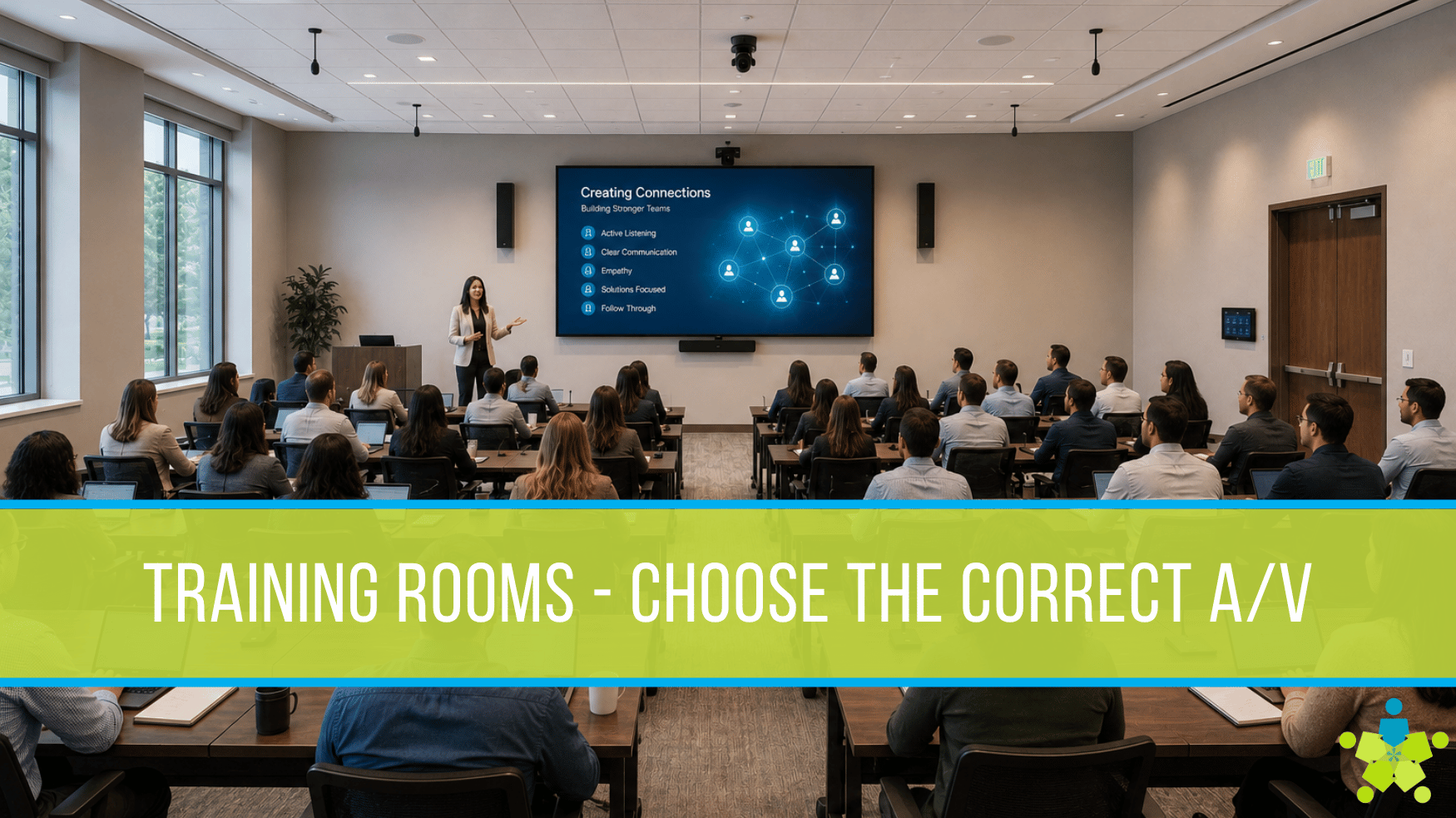
A corporate training room has to do more than display slides.
It needs to help people see clearly, hear every word, participate from anywhere, and move through a session without wasting time on technical issues. Whether you are onboarding new employees, running leadership development, hosting product training, or teaching compliance topics, the room has to support the way your organization actually trains.
That is where many AV decisions get harder than expected.
Should the room use an interactive flat panel or a projector and screen? Would a video wall make more sense? Do you need voice lift? Are ceiling speakers enough, or should the room include microphones, cameras, and advanced routing? The right answer depends on the space, the audience, the content, and how often the room needs to support hybrid participation.
A professional AV evaluation helps you make those decisions with more confidence. Instead of starting with a product, DPI starts with the room, the users, and the outcomes you need.
Training Rooms Are Now Business-Critical Spaces
Corporate training is not a side activity. It is a major investment in performance, safety, retention, and consistency. Training Industry’s 2025 State of the Corporate Training Market report describes the global corporate training market as a $391.1 billion market, with growth in the external addressable market since 2022. ATD research also reports that organizations track learning performance through measures such as employees trained, learning hours delivered, employee satisfaction, retention, and customer satisfaction.
That makes the training room more than a room with chairs and a display. It is a delivery environment for business-critical information.
When AV works well, presenters can focus on teaching. Participants can focus on learning. Remote attendees can follow the room instead of feeling like spectators. When AV falls short, the session loses momentum. People miss details. Facilitators spend time troubleshooting instead of engaging the group.
The goal is not to install the most expensive technology. The goal is to design a room that fits the way your team trains.
Start With the Room, Not the Display
The display is often the first thing people think about. It is visible, easy to compare, and usually central to the room. But choosing between an interactive flat panel, projector, screen, or video wall should come after a room evaluation.
A trained AV team looks at factors such as:
- Room size and seating layout
- Viewing distance and sightlines
- Ambient light and window placement
- Ceiling height and wall structure
- Number of instructors and participants
- In-person versus hybrid training needs
- Content type, such as slides, video, software demos, whiteboarding, or live collaboration
- Existing network, power, cabling, and control infrastructure
- Accessibility needs, including audio clarity and legibility
This process prevents a common mistake: buying a display that looks impressive on paper but does not perform well in the actual room.
A projector may be ideal in one large training room. An interactive flat panel may be better in a smaller, collaboration-heavy space. A video wall may be the right fit for high-impact executive training or large group sessions where visibility matters from every seat. The right choice depends on the environment.
Option 1: Interactive Flat Panel
An interactive flat panel is often a strong fit for training rooms where collaboration is part of the session.
These displays allow instructors to write, annotate, share content, and invite participation without moving between separate devices. They work well for smaller to mid-sized training rooms, breakout spaces, HR onboarding rooms, and team development environments where the facilitator wants to keep the session active.
Interactive flat panels are especially useful when training includes:
- Whiteboarding or brainstorming
- Group problem-solving
- Software walk-throughs
- Process mapping
- Hands-on workshops
- Frequent switching between presentation and collaboration
The benefit is simplicity. One display can support presentation, annotation, touch interaction, and content sharing. For many teams, that reduces friction and keeps sessions moving.
The limitation is scale. In a deep room or large training space, a single flat panel may not be large enough for every participant to read comfortably. In those cases, DPI may recommend a different display approach or supporting repeater displays to improve visibility.
Option 2: Projector and Screen
A projector with a screen can still be the right choice for many corporate training rooms, especially larger spaces where image size matters and the room can support proper lighting control.
Projection can provide a large image at a cost-effective size. It works well for lecture-style training, certification courses, larger onboarding groups, and presentation-heavy sessions. It can also be a good fit when the wall cannot support a large direct-view display or when the organization needs a flexible image size.
However, projection is highly dependent on the room. Ambient light, ceiling height, throw distance, screen material, and projector brightness all affect performance. A projector that works in one training room may look washed out in another.
That is why an on-site evaluation matters. DPI can assess whether projection will deliver a bright, legible image in your actual conditions. If it will not, an interactive flat panel or video wall may be a better long-term investment.
Option 3: Video Wall
A video wall is a strong choice when the training room needs scale, visual impact, and high readability.
For corporate environments, video walls often make sense in larger training centers, executive briefing rooms, all-hands spaces, and multi-use rooms where training, presentations, and events happen in the same environment. Direct-view LED video walls can support large, bright visuals without the same ambient light limitations as many projection systems.
A video wall may be the right fit when you need:
- Large-format visuals visible from the back of the room
- High-impact presentation for leadership or client-facing training
- Flexible layouts for multiple content sources
- Strong performance in bright spaces
- A premium experience for strategic meetings and training sessions
The key is not just the wall itself. The full system matters. Video walls often require proper content routing, processing, mounting, service access, power planning, and control. DPI’s corporate AV approach emphasizes integrated environments, including displays, audio, routing, control, and platform interoperability, so the system works as one room instead of a collection of disconnected components.
Audio Is Not Optional
Many training room problems are audio problems.
If people cannot hear the instructor clearly, the room is not doing its job. If remote attendees hear echo, room noise, or uneven volume, they will struggle to stay engaged. If the instructor has to raise their voice all day, sessions become harder to deliver.
A good training room audio design may include voice lift, ceiling or wall-mounted speakers, instructor microphones, audience microphones, assisted listening, and digital signal processing. The right combination depends on room size, acoustics, and use case.
Voice lift can be especially valuable in larger training rooms. It reinforces the instructor’s voice throughout the space, helping participants hear naturally without making the room feel over-amplified. This is different from simply making the room louder. The goal is even, intelligible coverage.
Speakers also need to be placed and tuned correctly. Poor speaker placement can create hot spots, dead zones, echo, or feedback. DPI evaluates the room so audio supports the session rather than competing with it.
Hybrid Training Adds Another Layer
Many corporate training rooms now need to support both in-person and remote participants. For training rooms, that means the AV system has to support people who are in the room and people joining through platforms such as Microsoft Teams, Zoom, or Google Meet.
Hybrid training requires more than a laptop camera at the front of the room.
A well-designed hybrid training room may include:
- Cameras that capture the presenter and participants
- Microphones that pick up questions clearly
- Speakers that allow the room to hear remote attendees
- Displays that show content and remote participants
- Simple controls for starting the session
- Routing that sends the right audio and video to the right place
Without this design, remote attendees may miss side conversations, whiteboard notes, demonstrations, or questions from the room. That creates an uneven training experience.
The best hybrid rooms feel intentional. The technology supports the instructor instead of making the instructor manage the technology.
Control Should Be Simple
A training room can have excellent displays, microphones, cameras, and speakers and still fail if the control experience is confusing.
Facilitators should not need to understand the full AV system to run a session. They should be able to walk in, choose the session mode, connect their content, and begin. Controls should be clear, consistent, and designed around common tasks.
For example, a training room may need simple presets such as:
- Presentation mode
- Interactive whiteboard mode
- Hybrid training mode
- Video playback mode
- Room reset
This reduces support calls and helps teams use the room consistently. It also supports faster adoption. The room should work on day one and continue working as people use it over time.
Why an On-Site AV Evaluation Matters
Every training room has constraints. Some are obvious. Others are hidden until the space is evaluated.
A site evaluation can uncover issues such as limited power, difficult cable pathways, poor acoustics, low ceilings, reflective surfaces, network limitations, or sightline challenges. These details affect budget, timeline, and system design.
During an evaluation, DPI can help answer practical questions:
- What display type fits the room best?
- Will participants be able to read content from every seat?
- Does the room need voice lift?
- Where should speakers and microphones be placed?
- Can the room support hybrid training?
- What existing equipment can stay, and what should be replaced?
- Should the project be phased?
- What control interface will be easiest for users?
This process gives your team a clear path forward. It also helps avoid underbuilding or overbuying. The best solution is not always the largest or most advanced system. It is the system that matches your goals, room conditions, users, and budget.
A Better Training Room Starts With Better Questions
Before choosing equipment, ask what the room needs to accomplish.
Do instructors need to annotate content live? Do participants need to collaborate at the display? Will remote employees join every session? Is the room used for executive presentations as well as training? How many people need to see and hear clearly? How often will the space be used?
The answers shape the AV design.
An interactive flat panel may support hands-on collaboration. A projector and screen may provide the right image size for lecture-style training. A video wall may create the visibility and presence needed for larger groups. Voice lift, speakers, cameras, microphones, routing, and control bring the full experience together.
DPI helps organizations evaluate those choices with a practical, outcome-led approach. The goal is to create training rooms that are easy to use, clear to hear, simple to manage, and ready for the way your teams work.
Ready to Evaluate Your Training Room?
If your corporate training room is outdated, hard to use, or not built for hybrid sessions, DPI can help you identify the best path forward.
Schedule a design consultation, and our team will evaluate your space, understand your training goals, and recommend the right mix of display, audio, control, and collaboration technology.
Your training room should help people learn, participate, and get back to work with confidence.
Contact us today for a consultation.


Darlene Rankin
Darlene Rankin is the Education Business Development Manager at Data Projections, Inc. She is an accomplished education technology leader with over twenty years of experience, including twenty-four years as Director of Innovation and Instructional Technology at Katy ISD in the Greater Houston Area. In 2025, she joined DPI to focus on expanding AV technology solutions for Texas schools and supporting innovation, collaboration, and student success.