
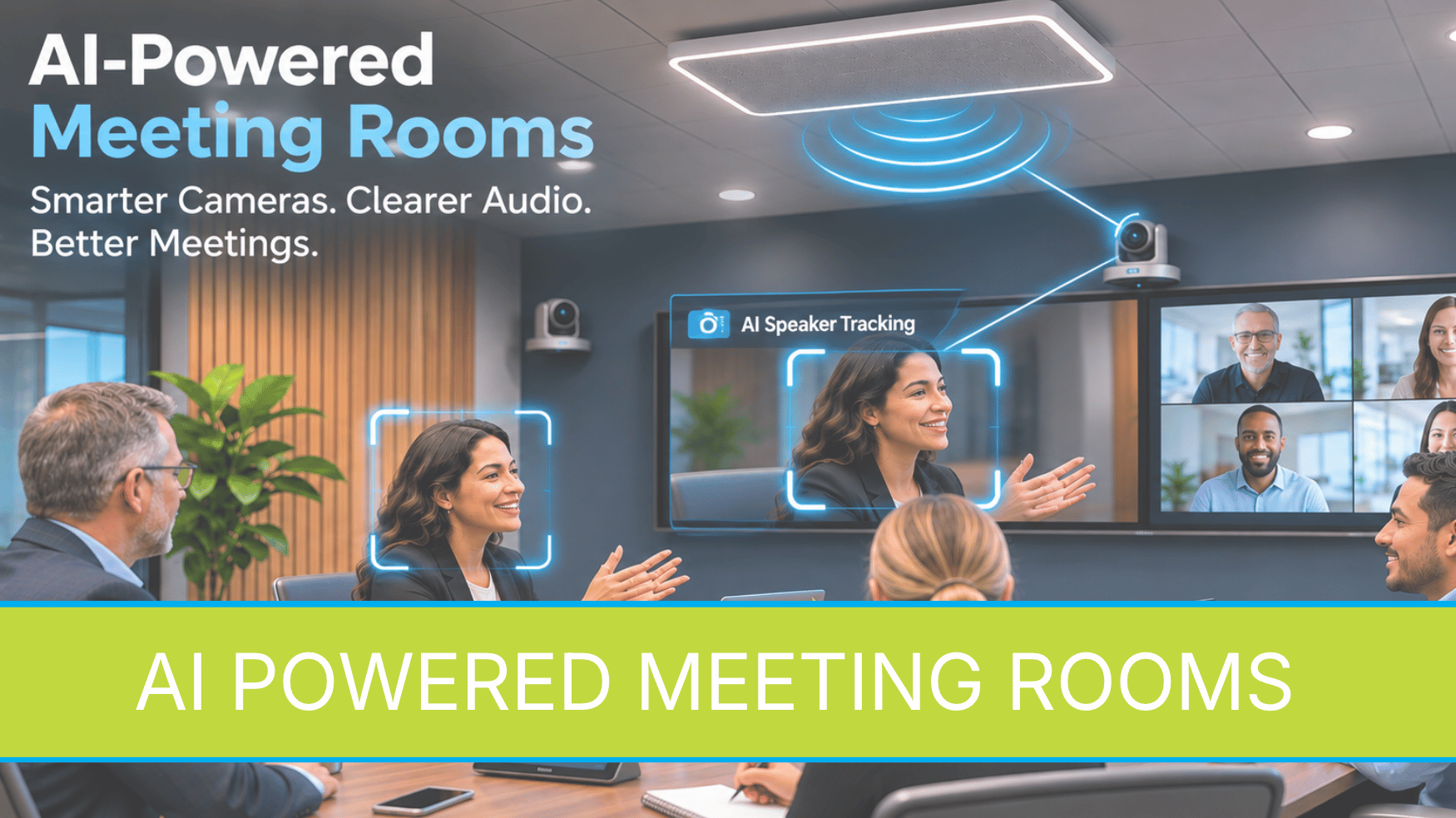
AI-Powered Meeting Rooms: What Can Smart Cameras and Microphones Really Do?
Imagine walking into a conference room, starting a meeting, and having the technology automatically adjust as people participate. Cameras follow the conversation, microphones capture voices throughout the room, and remote participants can clearly see and hear what is happening without someone constantly adjusting the equipment.
This is becoming possible through AI-powered audiovisual (AV) technology.
Artificial intelligence is changing how organizations approach meeting room design. From corporate boardrooms and school district meeting spaces to college lecture halls and government council chambers, intelligent AV systems can help make meetings more accessible, productive, and easier to manage.
But what does AI actually do in a meeting room, and how do these technologies work together?
What Is an AI-Powered Meeting Room?
An AI-powered meeting room uses intelligent cameras, microphones, audio processing, and conferencing technology to automatically respond to activity within a space.
Traditional meeting rooms often require someone to operate cameras, adjust microphones, or select which video feed appears during a presentation. Intelligent AV systems can automate many of these tasks.
For example, when someone begins speaking, a camera may automatically frame that person. When a presenter walks across the room, another camera may follow their movement. Microphones can identify where sound is coming from and help the audio system prioritize speech.
The goal is not to replace the people managing meetings. It is to reduce repetitive technical tasks so participants can focus on the conversation.
AI Cameras: Helping Remote Participants See the Conversation
One of the most noticeable advancements in meeting room technology involves intelligent cameras.
Traditional cameras typically capture a fixed view of the room or require someone to operate a remote control. AI-enabled cameras can analyze activity and automatically adjust what remote participants see.
Several capabilities are particularly useful.
Automatic Framing
Automatic framing allows a camera to adjust its view based on the number and position of participants.
When several people are seated around a conference table, the camera can provide a wider view. If fewer people remain, it can adjust the framing so participants are easier to see.
This can be especially helpful in meeting rooms used by different-sized groups throughout the day.
Speaker Tracking
Speaker tracking allows a camera system to identify the active speaker and adjust the video accordingly.
Depending on the equipment, the system may use microphone information, visual detection, or a combination of technologies to determine who is speaking.
For example, Crestron's 1 Beyond intelligent camera solutions include capabilities such as speaker tracking, group framing, and automated camera switching.
In larger rooms, multiple cameras can work together to provide different perspectives without requiring a dedicated camera operator.
Presenter Tracking
Presenter tracking is particularly valuable in training rooms, lecture halls, and multipurpose spaces.
Imagine an instructor presenting information while moving between a display, whiteboard, and demonstration area.
Instead of remaining focused on one location, a tracking camera can follow the instructor's movement, keeping the presenter visible to remote participants.
For organizations that regularly conduct hybrid training, this can create a more engaging experience.
Intelligent Microphones: Making Every Voice Easier to Hear
Clear audio is one of the most important components of a successful meeting.
Even with high-resolution displays and excellent cameras, participants can struggle when microphones fail to capture speech clearly.
Modern microphone systems offer several capabilities that can improve the experience.
Beamforming Microphones
Beamforming microphones use multiple microphone elements and signal processing to focus audio pickup toward specific areas.
For example, a ceiling-mounted microphone array can capture voices from different seating positions without requiring a separate tabletop microphone for every participant.
Depending on the system, microphone pickup areas can be configured to accommodate the room layout.
Automatic Microphone Mixing
When multiple microphones are installed, an automatic mixer can help manage which microphone signals are emphasized.
Rather than leaving every microphone fully active, the system can prioritize relevant speech signals and reduce unnecessary background pickup.
This helps maintain consistent audio during conversations involving multiple participants.
Noise Reduction and Echo Cancellation
Intelligent audio processing can also help manage common meeting room challenges.
These include HVAC noise, unwanted background sounds, and acoustic echo caused when microphones pick up audio coming from loudspeakers.
A digital signal processor, commonly called a DSP, can perform functions such as automatic mixing, equalization, noise reduction, and acoustic echo cancellation.
Some modern DSP platforms incorporate AI-based processing to distinguish speech from unwanted sounds.
However, intelligent processing does not eliminate the need for proper microphone placement, room acoustics, and professional system design.
How Do Cameras and Microphones Work Together?
The real advantage of intelligent AV technology becomes apparent when cameras, microphones, and control systems operate as one coordinated solution.
Consider a corporate boardroom with several cameras and ceiling microphone arrays.
When someone begins speaking, the microphone system may determine the location of the voice. That information can be communicated to a camera control system, which selects an appropriate camera and frames the speaker.
When another participant begins speaking, the system can transition to a different camera view.
Solutions such as Crestron Automate VX use microphone audio information to support automated camera selection and switching.
This type of integration can be particularly useful in school boardrooms, city council chambers, and executive meeting spaces where discussions frequently move between participants.
The result is a more natural viewing experience for remote attendees.
AI and Microsoft Teams Rooms
AI-powered capabilities are also becoming part of familiar conferencing environments.
Microsoft Teams Rooms supports intelligent camera features that can improve how remote attendees see participants in a shared meeting space.
Microsoft's IntelliFrame technology, for example, can provide individual video views of people seated together in a conference room, depending on the supported camera, room system, and licensing.
Some configurations also support voice recognition, allowing enrolled participants to be identified in meeting transcripts.
These features can help organizations improve hybrid collaboration and make meeting information easier to review afterward.
However, availability depends on the hardware, software configuration, licensing, and organizational policies.
Organizations should also consider privacy requirements and participant preferences when evaluating facial or voice recognition capabilities.
Where Can Organizations Use AI-Powered AV?
Although corporate conference rooms are an obvious application, intelligent AV technology can support many different environments.
- Corporate boardrooms: Automatically frame executives, support hybrid meetings, and simplify communication between multiple offices.
- School district boardrooms: Improve camera coverage during public meetings, capture discussions at the dais, and support video streaming. Public-meeting recording and retention requirements should be considered during design.
- Higher education: Track instructors during lectures, improve audio pickup, and support students attending remotely.
- Government council chambers: Provide automated camera views of council members, presenters, and other designated speaking positions.
- Training and multipurpose rooms: Support different meeting configurations without requiring staff to manually reconfigure every camera and microphone.
In each environment, the technology should be selected based on how people actually use the room.
Does AI Eliminate the Need for an AV Integrator?
AI can automate individual functions, but the success of a meeting room still depends on how the complete system is designed.
Cameras must be positioned to capture the right viewing angles. Microphones need appropriate coverage. Audio systems require proper configuration, and network infrastructure must support the equipment.
Organizations also need to consider how displays, conferencing platforms, content sharing, recording, streaming, and room controls will operate together.
A professional AV integrator evaluates these requirements before recommending equipment.
For example, a large boardroom may benefit from multiple intelligent cameras, while a smaller conference room may only need one camera with automatic framing.
The objective is to select the appropriate technology rather than add features that do not provide practical value.
Is Your Meeting Room Ready for AI?
Before upgrading, organizations should consider several questions:
- Do remote participants struggle to see or hear people in the room?
- Does someone need to operate cameras during meetings?
- Are microphones consistently capturing conversations clearly?
- Does the room support different meeting formats?
- Can existing AV equipment be incorporated into an upgraded system?
- Will the new technology work with existing conferencing platforms?
Not every room requires a complete replacement. In some cases, intelligent cameras, updated microphones, or improved processing can be integrated with existing equipment.
The Future of Meeting Room Technology
AI-powered AV technology is making meeting spaces more responsive to the people using them.
Intelligent cameras can follow conversations. Microphone systems can improve speech capture. Automated switching can reduce manual operation, while conferencing platforms continue adding features that support hybrid collaboration.
The most important consideration is not how much artificial intelligence a room contains. It is whether the technology makes meetings easier and more effective.
Data Projections works with organizations across Texas to design, integrate, and support audiovisual systems for conference rooms, boardrooms, training spaces, and other collaborative environments.
If your organization is considering a meeting room upgrade, our team can help evaluate your current technology, identify opportunities for improvement, and develop a solution based on how your space is used.
Contact Data Projections to schedule an AV consultation and explore intelligent meeting room solutions.
Visit Data Projections to learn more about our AV integration solutions.


Darlene Rankin
Darlene Rankin is the Education Business Development Manager at Data Projections, Inc. She is an accomplished education technology leader with over twenty years of experience, including twenty-four years as Director of Innovation and Instructional Technology at Katy ISD in the Greater Houston Area. In 2025, she joined DPI to focus on expanding AV technology solutions for Texas schools and supporting innovation, collaboration, and student success.