
Crestron Collab Compute: A Strong Foundation for Better Hybrid Meetings
Whether the space supports business meetings, staff training, higher education, or government collaboration, the technology should make participation straightforward and easy to use.
The challenge is bringing everything together. Displays, cameras, microphones, speakers, and conferencing software must work as a coordinated system. Users need simple controls, while technology teams need equipment they can deploy, manage, and support.
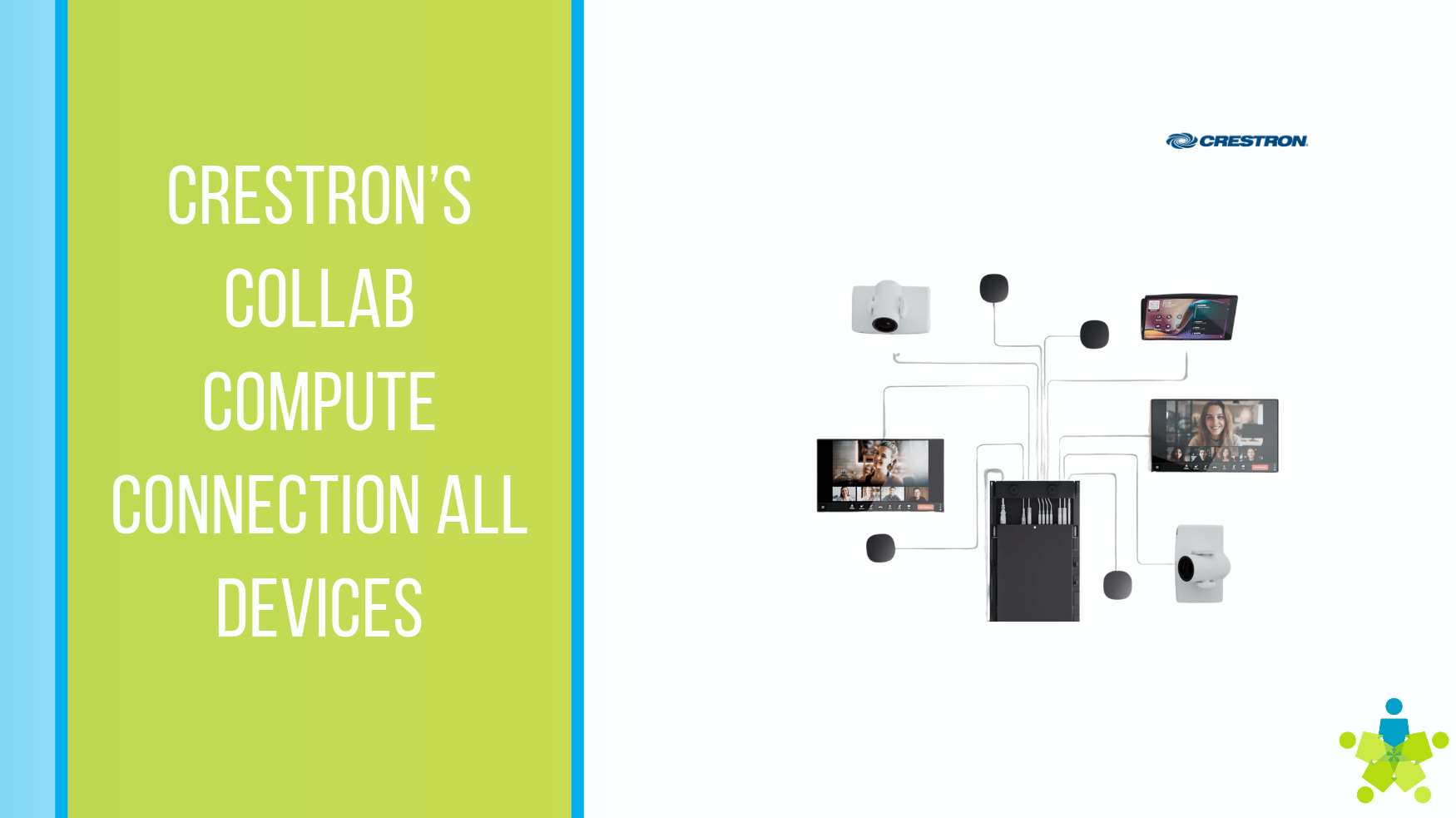
Crestron Collab Compute provides the computing foundation for that connected meeting experience. With dedicated room computing, professional AV connections, and integration with the broader Crestron ecosystem, it supports meeting spaces designed around how people actually work.
What Is Crestron Collab Compute?
Crestron Collab Compute is a dedicated computing platform for conferencing environments, with configurations for Microsoft Teams Rooms and Zoom Rooms. It works with separately selected displays, audio equipment, cameras, and controls to create a complete room solution. The product family serves spaces ranging from small huddle rooms to larger conference environments.
For everyday users, that means the room can have its own conferencing system, ready for scheduled meetings. For technology teams, it creates a foundation around which they can select equipment appropriate to the space.
That flexibility matters because a six-person meeting room and a large training room have different needs. Camera placement, microphone coverage, seating arrangements, and viewing distances should influence the design.
Familiar Meetings with Simpler Controls
People should be able to enter a room and understand how to begin. A clear interface helps employees, instructors, administrators, and guests spend more time participating and less time figuring out the equipment.
The Microsoft Teams Rooms models work with compatible Crestron touch screens which provide an easy to interface. Optional integration with Crestron control systems can also bring functions such as lighting and shades into the room’s controls, with additional equipment and commissioning.
A thoughtful design starts with the actions people perform most often: joining a meeting, adjusting volume, presenting content, and ending a session. Keeping those tasks easy to find can make the space more welcoming to occasional users.
Computing Power and Connectivity for Modern Meetings
Crestron Collab Compute combines Intel Core Ultra processing with connections for room displays, cameras, microphones, and audio equipment. This gives organizations flexibility to build a conferencing system around the size of the room and the way people use it.
For users, the goal is straightforward: join a meeting, share information, and participate comfortably. For technology teams, dedicated room computing provides a consistent foundation for connecting and supporting the equipment. Selecting compatible components and planning their placement helps turn those capabilities into a dependable meeting experience.
Audio and Video Designed Around the Space
A meeting system needs to capture the conversation throughout the room. Microphone placement should account for where people sit, whether presenters move around, and how audience members ask questions. Speakers should distribute sound so participants can follow the discussion comfortably.
In larger spaces, a digital signal processor, or DSP, can help manage the room’s audio. Camera selection and positioning also deserve attention: a view that works for a small table may not adequately show participants at the far end of a boardroom.
Planning these elements together helps create a more useful experience for both in-room and remote participants. The objective is to make conversations easy to follow from either location.
AI-Ready Computing, Explained Simply
Collab Compute uses Intel Core Ultra processors with an integrated neural processing unit, or NPU. This provides a hardware foundation for AI-enabled conferencing experiences. Crestron identifies applications such as voice isolation, live captions, and meeting summaries within the broader Teams Rooms and Zoom Rooms experience.
The practical question is which features an organization plans to use. Availability depends on the conferencing platform, software release, licensing, and configuration; purchasing AI-ready hardware does not automatically enable every AI feature but you have the right foundation to get started.
Planning should begin with a specific need. Is the priority helping participants follow a discussion, improving accessibility, or making meeting information easier to review? Those goals help guide the complete solution.
Content Sharing and Laptop-Based Conferencing
Rooms often need to support both scheduled meetings and visiting presenters. An employee may use the room’s native conferencing platform for a weekly meeting, while a guest may need to present or host a call from a laptop.
On the Teams models, users can present through a direct HDMI connection to extend presentation connectivity. Laptop-based conferencing uses the optional Crestron's BYOD KIT, allowing a connected laptop to access the room’s cameras, microphones, and speakers.
Sharing slides and running an entire meeting from a laptop are separate workflows. Establishing which activities the room must support helps ensure the right connections are available where people need them. A clearly explained guest connection process can also help visiting presenters get started.
A Practical Example: Consistency Across Several Rooms
Consider an organization upgrading a small conference room, a leadership boardroom, and a training space.
A proposed design could give each room a familiar conferencing interface while tailoring the equipment to its purpose. The small room might use a compact camera and audio solution. The boardroom could receive microphone coverage and camera placement suited to a longer table. The training room could prioritize presenter movement, audience questions, and readable instructional content.
The goal would be consistency in operation, with room-specific performance. Someone moving between spaces would recognize the basic meeting controls, even though the equipment serving each room might differ.
Before rollout, the project team could test representative tasks in one pilot room: joining a call, sharing a laptop presentation, speaking from different seats, and receiving questions from remote participants. The results would guide the deployment to the variety of rooms you may have at your business.
Plan for Management and Ongoing Support
For organizations managing several spaces, the deployment plan should also establish who handles room accounts, network access, updates, user training, and service requests. Documenting common tasks and providing a brief room orientation can help users feel comfortable with the system.
A clear support process helps protect the value of the installation long after the first meeting. We traing and support organizations each day with the deployment of their hardware. There are differenct support levels that your account executive can discuss with you to see which one is right for you.
Build the Room Around Your People
Crestron Collab Compute can serve as the foundation for a coordinated collaboration space. The strongest results come from matching that foundation with the right displays, audio, cameras, controls, and support.
We can partner with your team to evaluate the space, understand your daily workflows, and plan an AV solution that supports both users and technology staff.
Ready to improve your meeting experience? Contact Data Projections to schedule a design consultation.


Darlene Rankin
Darlene Rankin is the Education Business Development Manager at Data Projections, Inc. She is an accomplished education technology leader with over twenty years of experience, including twenty-four years as Director of Innovation and Instructional Technology at Katy ISD in the Greater Houston Area. In 2025, she joined DPI to focus on expanding AV technology solutions for Texas schools and supporting innovation, collaboration, and student success.